CryptoScraper
Stack
T3 stack on Nextjs, maria-db, docker, raspi-os, puppeteerOverview
App to scrape data from a webpage.
What is being scraped...
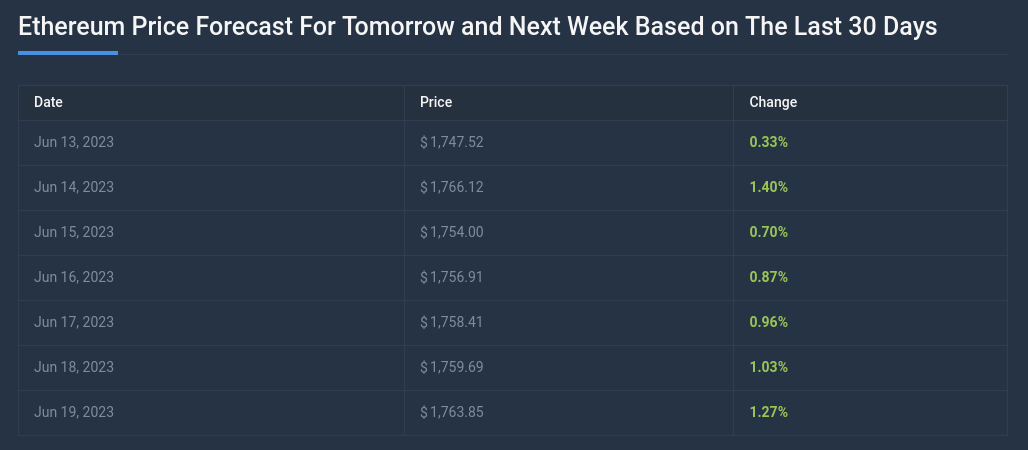
Web coindcodex provides its own AI analysis to predict cryptocurency prices based on coin's previous in the past.
Why?
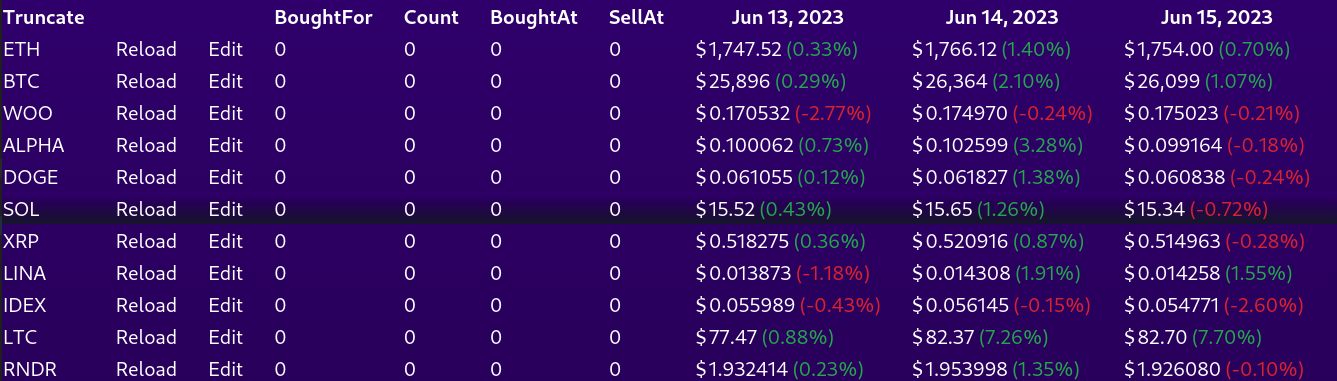
To make a list of coins and have all the data in one place.
Scraping
To mine the data I used a puppeteer library. It uses chromium browser to visit the page. Then it is necesary to tell the puppeteer where the wanted data lies. We can use Xpath, which is a position of the element in the html tree or a CSS selector. Here I had to use a selector, because the page architecture didn't let puppeteer to find the element by the xPath.

Database
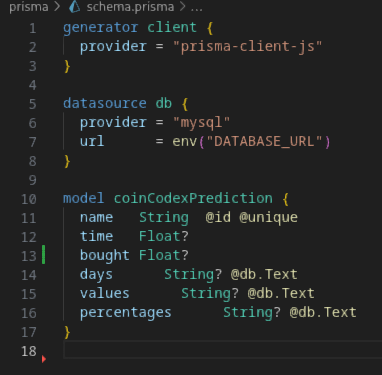
When the data is scraped, it is sorted into the database.
Deployment
For my own purposes, I wanted to deploy the app on my raspberryPi4. To reach maximum compatibility I decided to dockerize the app. The problem with puppeteer running on docker is that its chromium doesn't work. The work around is to download standalone chromium and then connect it to the puppeteer.
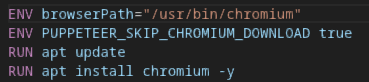
Then when puppeteer runs the browser, set the path to previsouly installed chromium and set arguments suitable for running in docker environment.

How to automate scraping
I set the scraper to update the data twice a day. Sometimes the page isn't available, so every hour there is a timer that checks for empty coin data. For the updating I made suitable endpoints, that would run the updating process. On the raspberryPi4 osperating system I set a cron job to send request to the endpoint to trigger the updating.

Zombie assault
Stack
T3 stack on NextjsOverview
Multiplayer zombie shooting game. There are different kinds of monsters, weapons and other accessories. Game is divided into levels to increase the difficulty with the progress.
Multiplayer
To achieve mlutiplayer, the game is fully server-authoritative. The game is played on backend where clients only send moving intructions. All movement instructions are calculated and then all coordinates are broadcast to all clients.
Movement
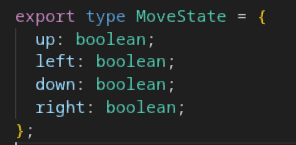
The movement works in 8 directions. Pressing or releasing one of four movement keys (wsad) changes the react component state. This action triggers the useEffect hook and sends the data to the backend.
Object shape sent to the backend:
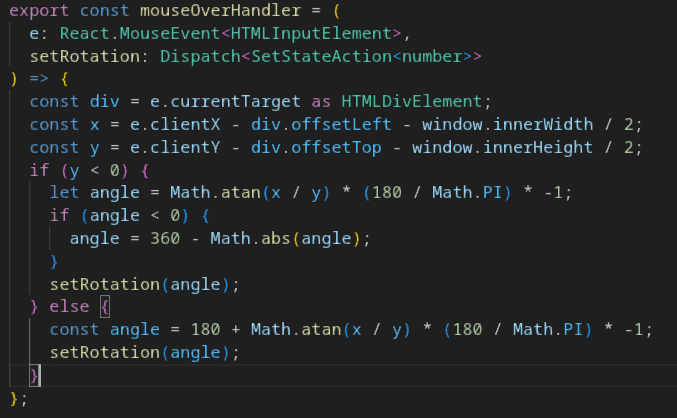
Another component state is changed when the mouse cursor moves over the div, where the game is displayed. With simple math, the rotation of the player is caldulated from the mouse cursor position. Because the rotation state isn't really important for the game state and also to achieve move fluid experience, the client displays it's own rotation state instead of recieving the state from the backend, while other players' states are recieved from the backend.
To get the rotation:
Shooting
Depending on the weapon, there are two functions to handle shooting in the game. Gun equiped by the player can be manual or automat. If the gun is manual, every single bullet is released by a left mouse button click. There is a player rotation state sent to the backend to spawn the bullet. On the other hand, automat weapons work on shooting with holding the left mouse button. The backend starts to read player rotation state from the rotation hook used to rotate players.
Backend
To maintain readability and scaling potential, I used OOP to handle the game logic. The main backend component is the class called Playground.Playground
The Playground itself holds all the other objects, calculates their positions and its state is displayed on the frontend for all players. There is a interval running in the Playground instance. On the interval tick, it iterates through all the players, monsters and bullets, calling their movement methods and then emitting the states of all to observable on endpoint to which clients are subscribed. Objects of the game are stored in Hashmaps.

The Playground class is responsible for spawning game objects, moving them, deleting them and changing levels. Clients can also send signal to the backend to pause the game. When this endpoint is triggered, the pause function is called on the playground, which stops the interval from running and the game state stops changing.
Player
It is the simplest object. The class has a few properties as it's input from the client, it's position, the speed it's moving, healthpoints and cash for buying guns.
Monsters
Monsters are instances of the class Enemy. It also has a few properties as hp, speed, damage but also angle and it's target to kill, collision size for bullets and cash recieved by a player when killed.
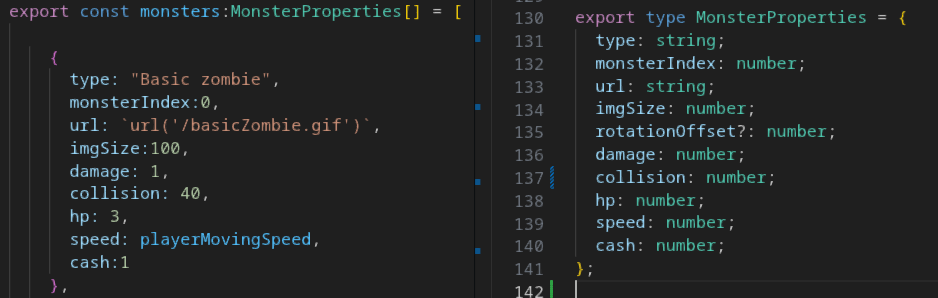
To initiate a Enemy instance, there is used and object from the array of monsters. The rest of the fields is generated by the playground class as for example coordinates where the monster should spawn.
For the purpose of monsters walking on the map, the Playground is divided into tiles.
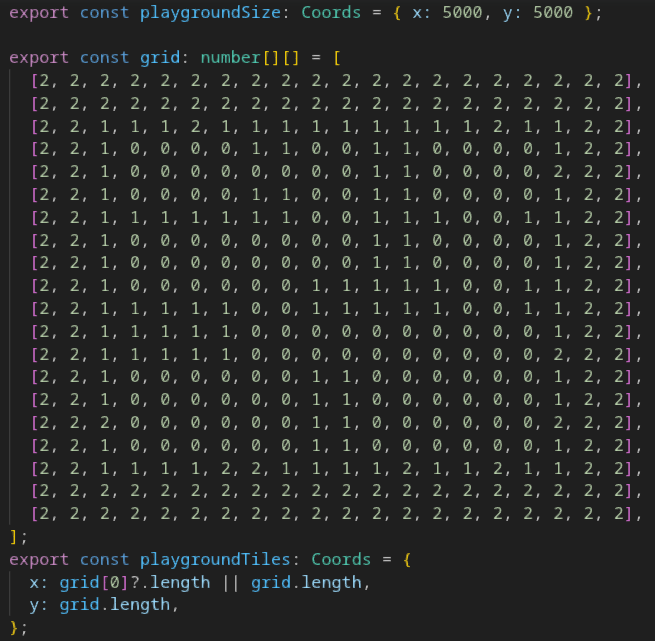
where 0 is available for every object. 1 is for walls, which is restricted for all. 2 is the out of the map and is restricted for players but available for monsters and bullets. Both monsters and players have functions to determine on which tile they are located. Monsters then need pathfindig to find the player. For pathfindig I used easystarjs. To use easystarjs, monster iterates through players on the Playground to find the closest player, then it calculates its tile and sets it as a start for the pathfinder and asks the player for its tile to set it as the destination. Easystarjs calculates the route and return an array of the tiles to the destination. Monster then calculates the direction to move while moving tile index when tile of pathfinder is reached. When the distance between the player and the monster is less then certain amount, the pathfinder is no longer called and the monster directly follows the player.
Bullet
When the player is shooting, it also sends information about the gun it is holding.
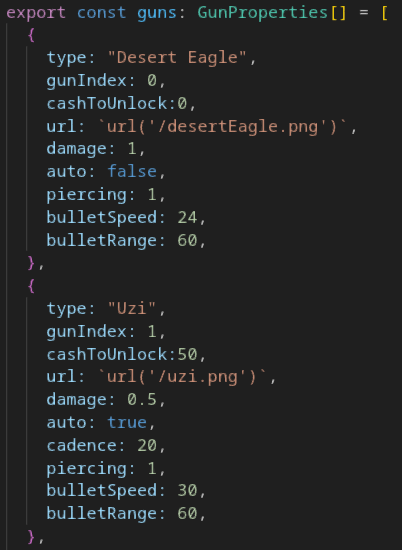
These information is passed to the BulletController class. Instance of this class is recieving data of players' rotation, it collects data about gun and sends all the information about the bullet to the Playground to spawn it. When the gun is automat, it sets up a timer according to the gun cadence to spawn bullets automatically. There is a BulletController instance for each player.
Data for the BulletController:
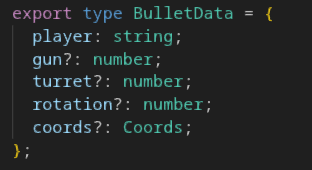
Bullets hold many atributes. It's spawn coordinates are taken from the Player object who fired them. Bullet has information of how fast to move and how far, how much hp to take from the target and how many monsters it can go through.
Data for initiate an instance of the bullet:
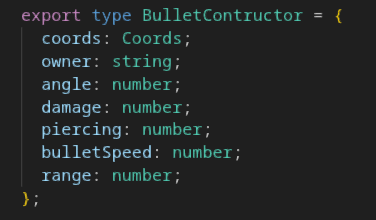
When the Playground sees and a monter with 0 or less hp, it gives the cash, which monster holds, to the owner of the last bullet the monster has been hit. There is a movement function for the bullet running at Playground interval. In this function the bullet changes it's coordinates according to its speed. While moving, it checks monsters positions and if the distance is less than monster's collision zone, it does damage. Each monster can recieve damage from one bullet only once and when the damage is done, bullet's counter of monsters to pierce goes down by one. Each bullet also has a lifespan. When the Playground sees the bullet's lifespan is less or equal to zero, it removes the bullet from the game. Bullet lifespan is decreased when moving. it is set to zero, when it can't pierce more monsters, and also set to zero when hit the wall.
Turret
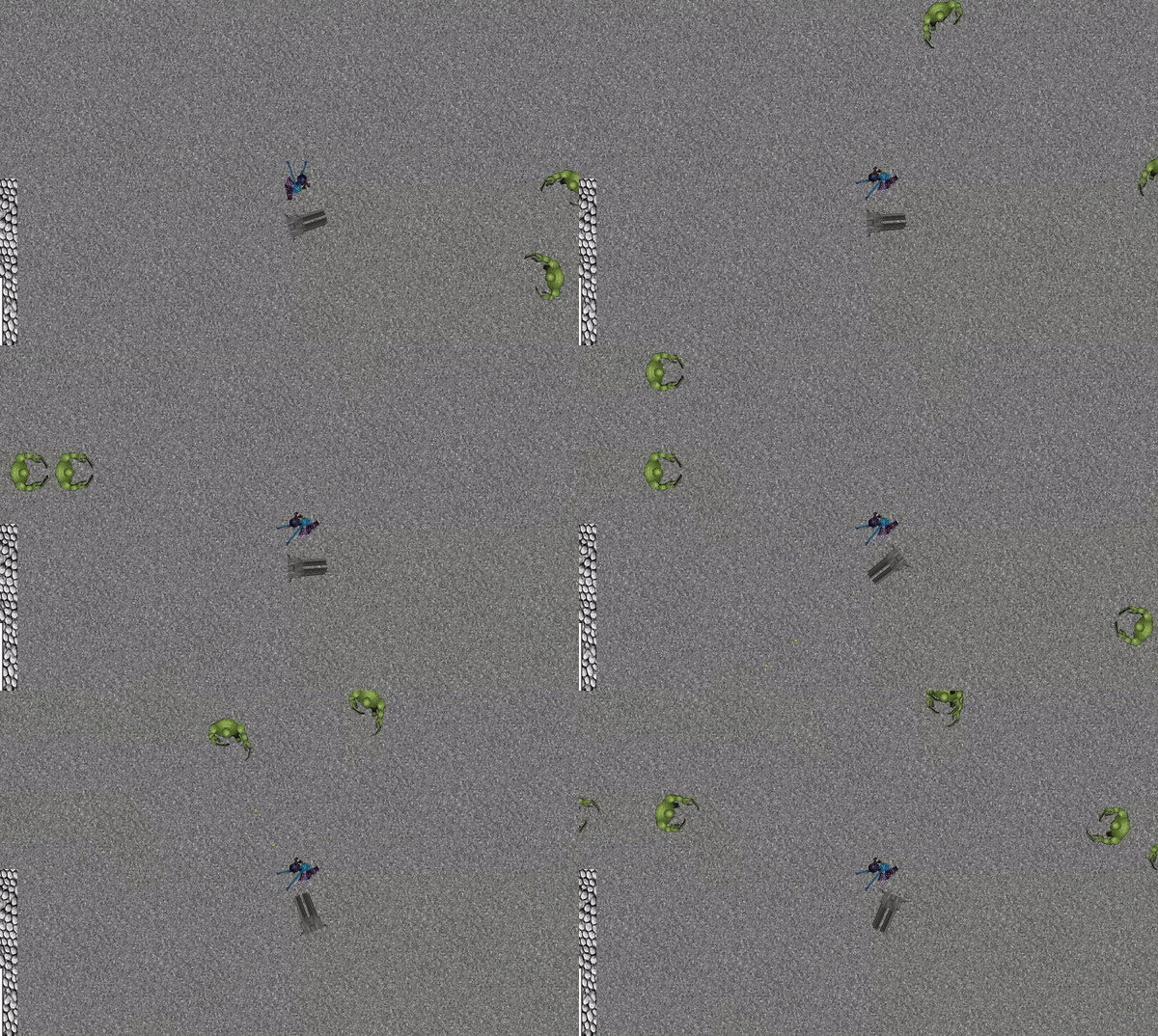
With getting more and more cash in the game, players have an ability to build automatic turrets.
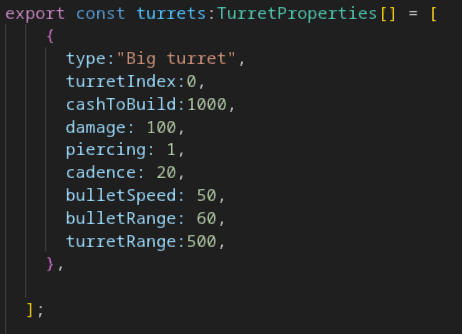
The turret sends data to the playground to spawn its bullets. Monster cash is recieved by the turret builder.
Game constants
Besides the constants for game objecst like guns and mosters, I use whole set of constants to balance the game.
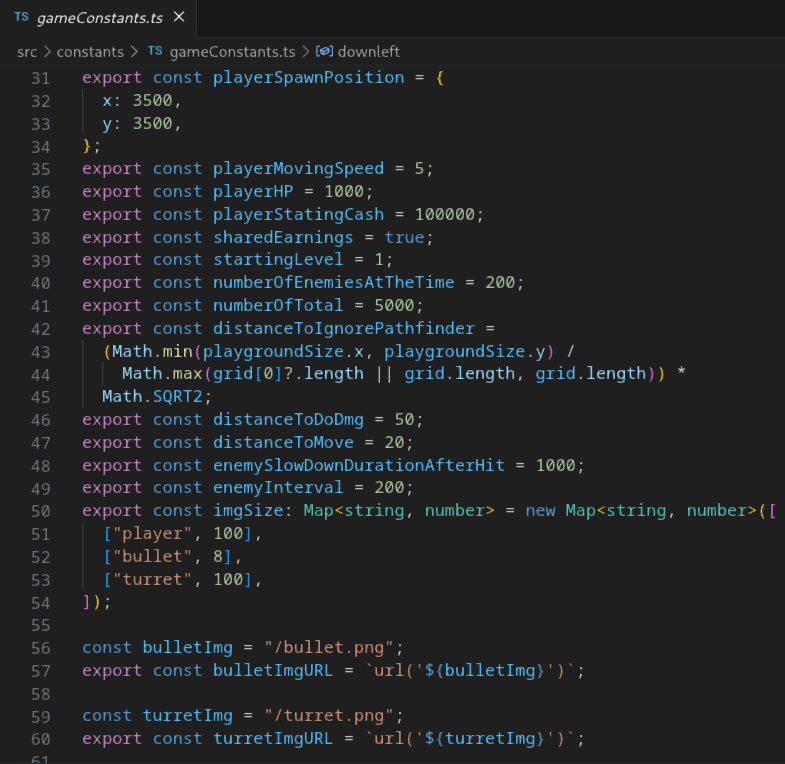
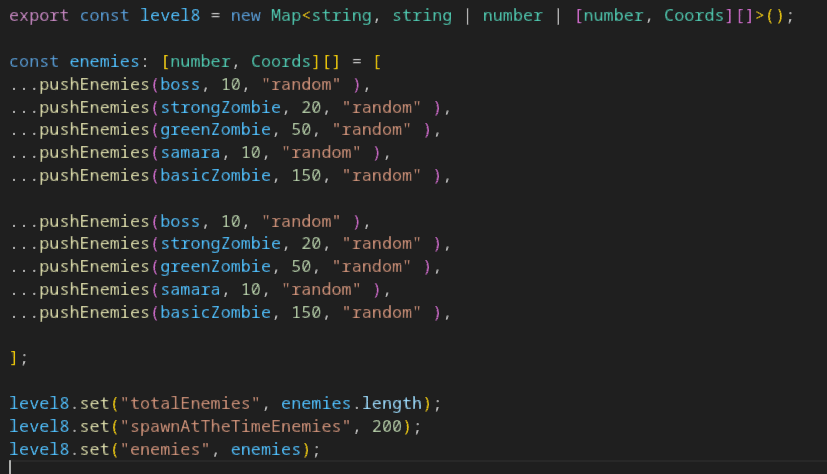
Game levels
Level data contain an array of monsters, which will be spawned and also how many monster can be present on the Playground at the time.
Endpoints
As a framework above Nextsjs, there is used tRPC to handle the trafic. Here I will describe two endpoints.
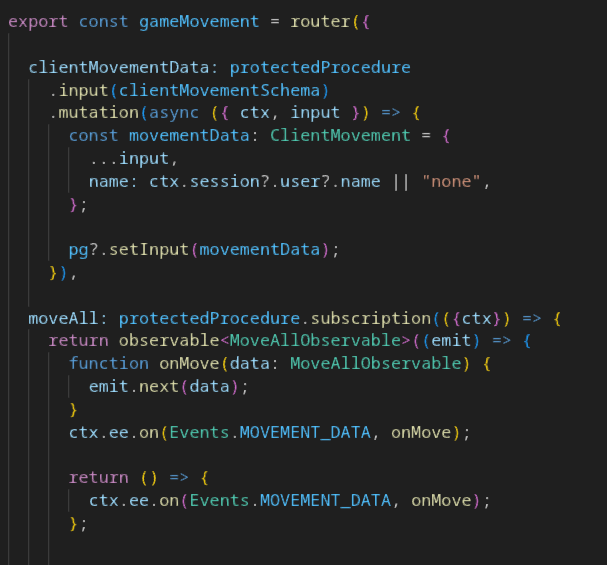
The first endpoint uses tRPC mutate hook. The procedure is protected
which means the user has to be authorized to acces this endpoint.
The input method validates the incoming data and finaly it sends the
data to Playground class along with the name of the player.
The second endpoint is a subscription. It is a websocket
implementation of this framework. The frontend hook is subscribed to
this subscription. There is an observable sent to the subscribers,
which listens to the Playground interval which updates the game
state values.
Frontend
For the game display I used a div of width and height of the window. This div is in position relative having inside this huge div of the map in position absolute. The map div's offset from the left and top is changed according to player's coordinates. Player is kept in the middle of the screen. All the displayed information is saved in react's useState hooks which are updated by the subscription hooks of the websocket from the backend.
In the corner there is also minimap, which takes the same data as actual map, but provides whole game overview. It displays players' positions and all the monsters.
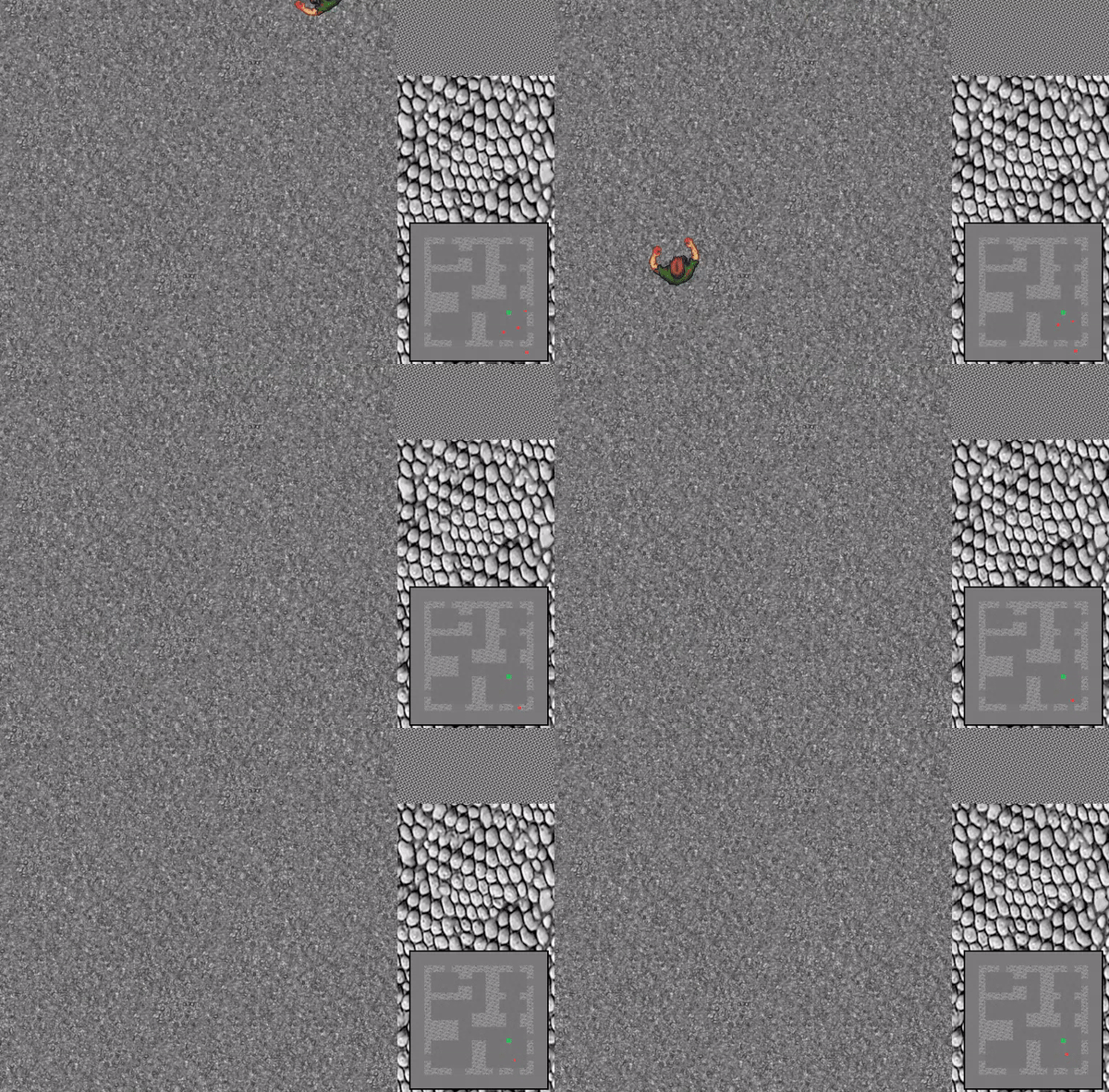
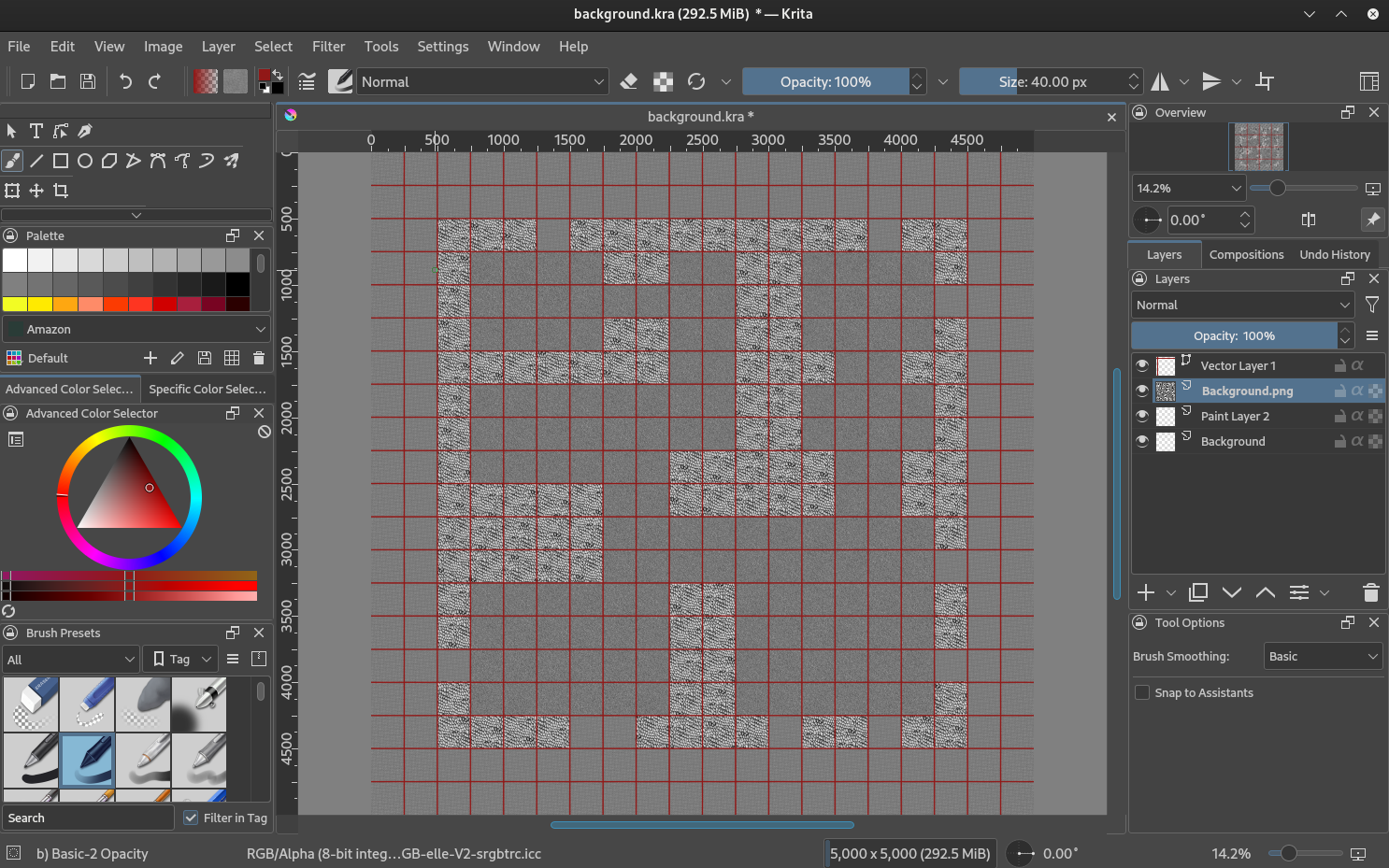
For painting the map or editing sprites I used graphical editor Krita.
Weather App
Stack
Nextjs, tailwind, leaftlet, nookies, jwt, prisma, cypress, jest
Deployment
https://weather-app-five-inky.vercel.app/Overview
Basic weather app using openwethermap api. App uses Leaflet maps as a base for openweathermap map weather layers. There is also possibility of registation and creating custom city list.
Pages
index.tsx (homepage / )
If registered user visits the site, then his city list is displayed on the main page. If there is no user token found, the app displays random 12 of aproximatelly 80 most populated cities in the world. Every displayed city can be clicked for further details.
Icons of the cities contain basic information.
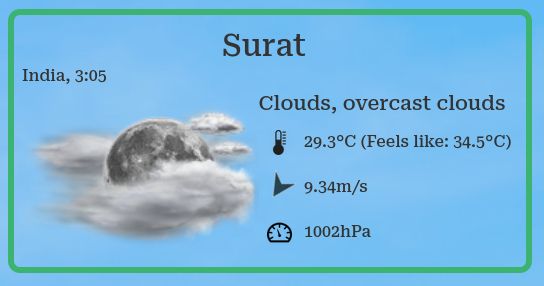
There is a city name, the country of the city and local time. Of the weather data, there is displayed the temperature, wind speed and atmosperic pressure. The wind icon is rotated acording the wind direction.
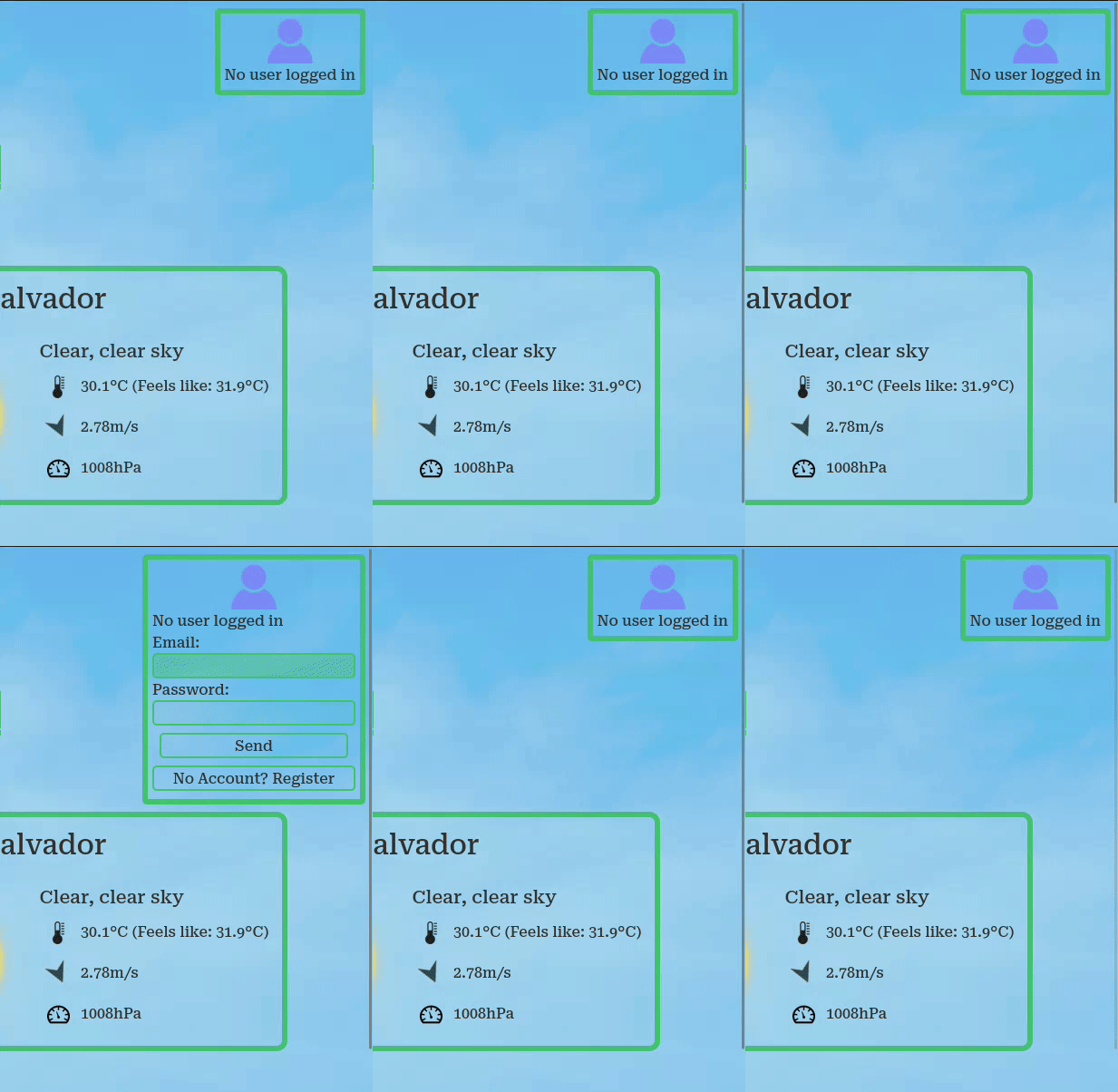
In the top right corner, there is a user login interface, with a link to register page if user has no account yet.
The crucial part of the app is the searchbar in the middle. I uploaded a list of more that 70 thousands city into my database, so every city is easily found by the opeweathermap api. Searchbar options contain links to selected city details.
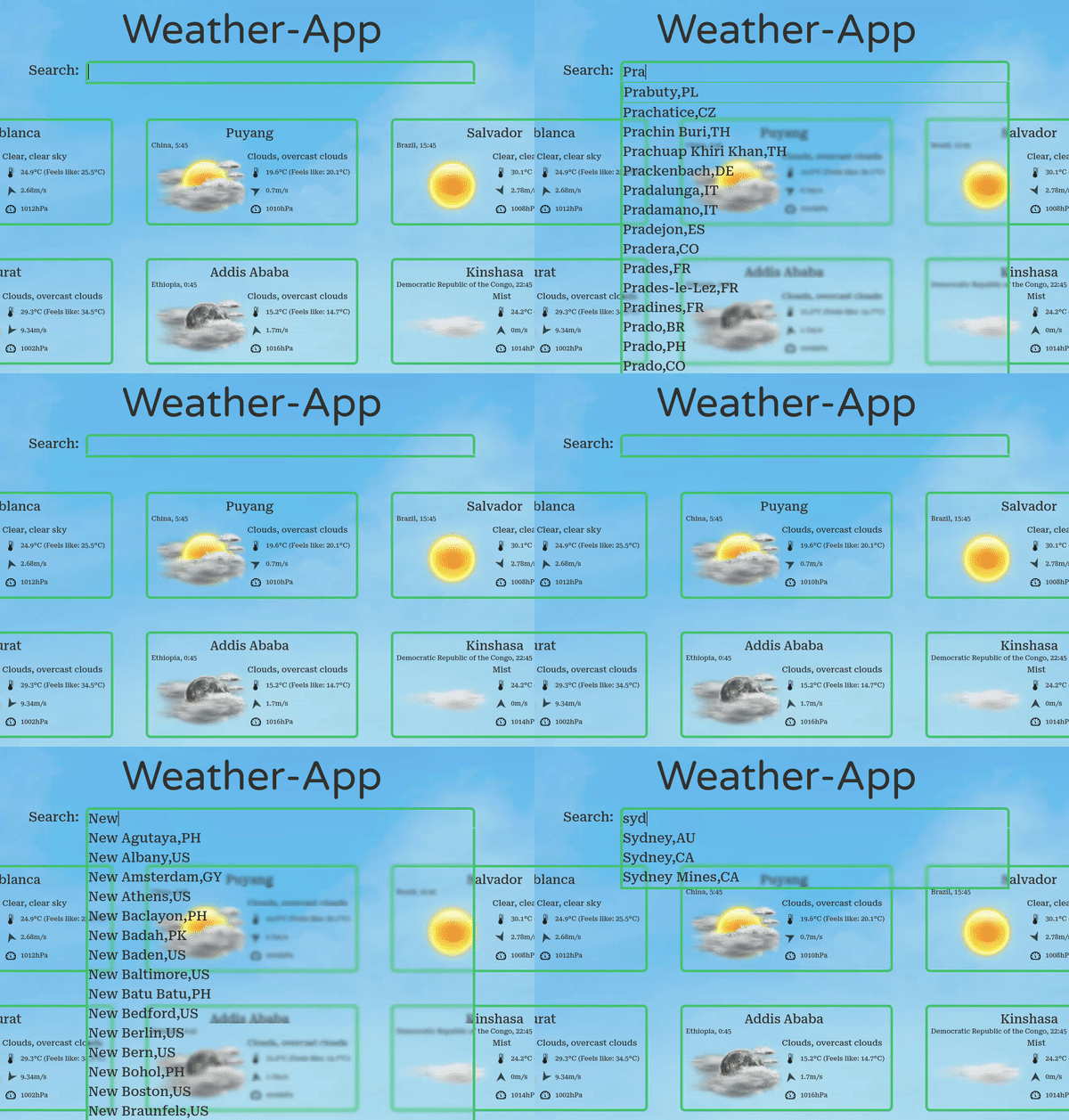
Page is rendered on the server storing the api data in the RAM. Before the api calls for cities, the data already in the RAM is checked, wether city data is there and the data isn't older than 30min.
City details
There is a glider with 3h step forecast.
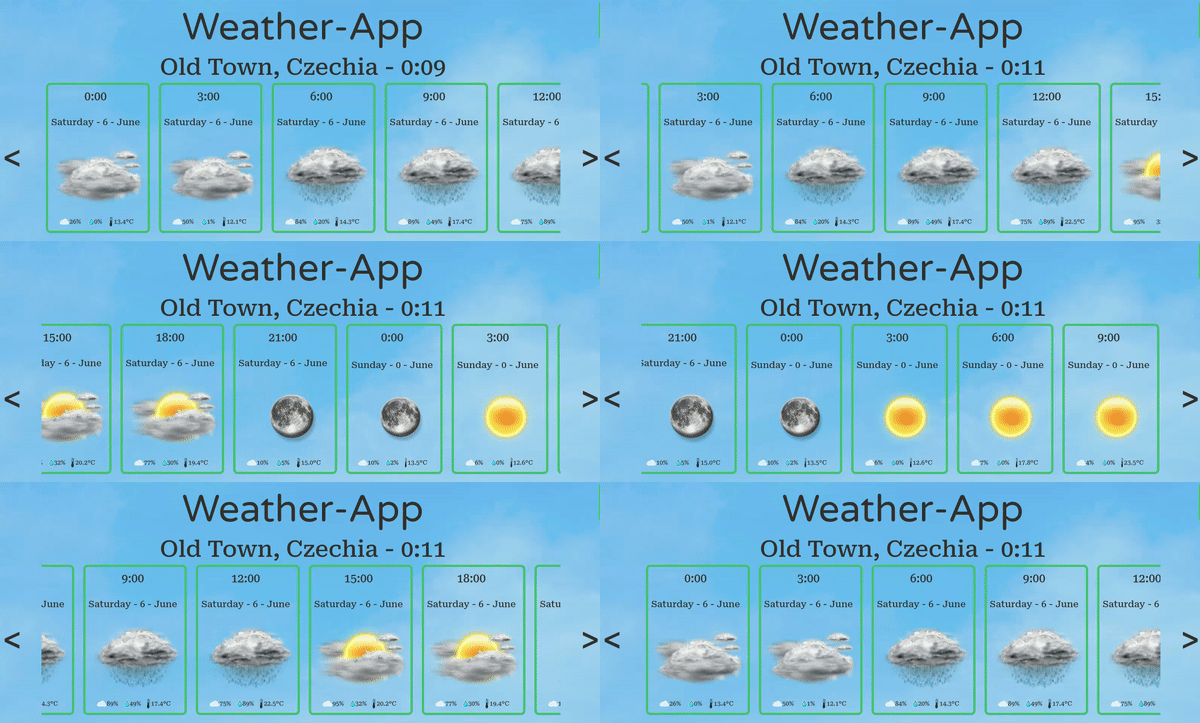
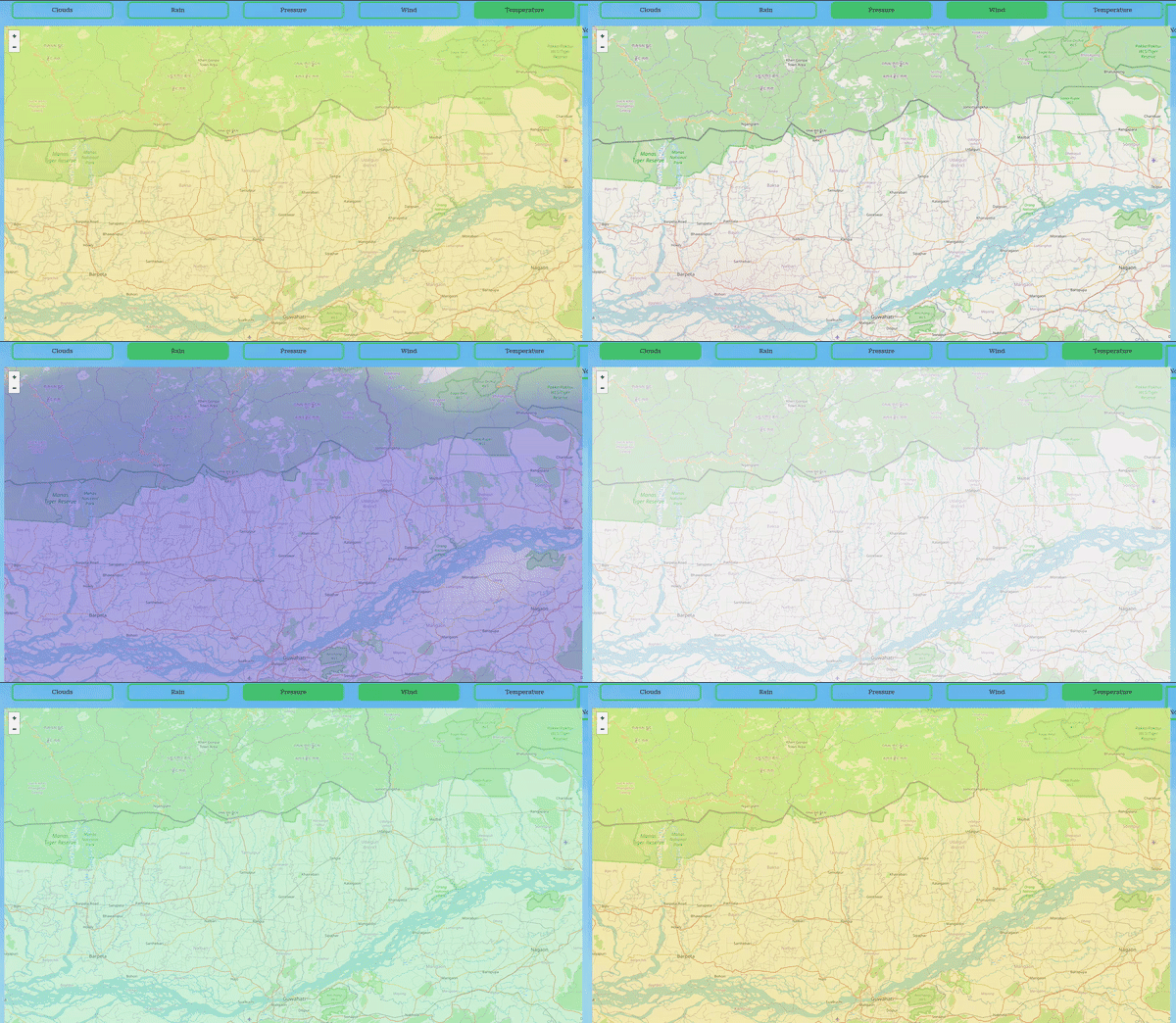
City details contain a map from Leaflet with openweathermap weather layers.